Tap to Unlock
The Yale Assure Lock 2 Plus transforms an iPhone or Apple Watch into a secure, convenient digital house key.
Ian Gardner is a British-American broadcaster, voice artist and audio enthusiast, sharing years of experience building creative workflows from a modern home studio. He helps readers make smarter buying decisions across studio gear, production tools and home comforts for both inside and outside the workspace. Broadcasters, podcasters, voice artists, producers and digital creators will find guidance that supports high production values and efficient workflows for building a successful home studio business. Similar articles can be found in the outdoor-essentials blog.
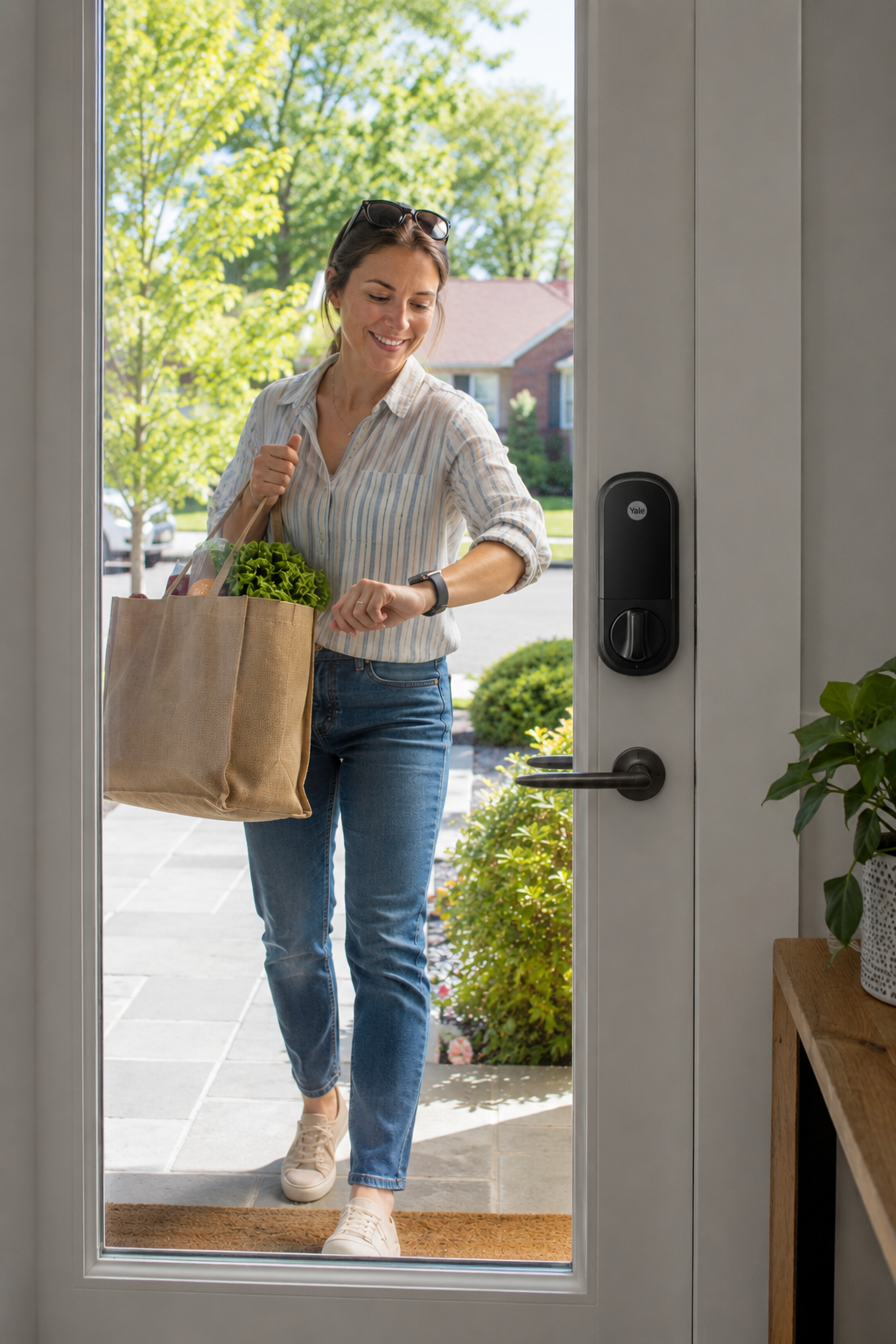
The Yale Assure Lock 2 Plus might just be the first smart lock I've bought that didn't leave me wondering whether I'd made a terrible mistake halfway through the setup process. As someone who spends a lot of time working in a home studio, I wanted something simple. Not simple to buy, because I spent far too many hours researching every possible option, but simple to use every day. My requirement was very specific. I wanted to walk up to my front door with an Apple iPhone or Apple Watch and simply tap to unlock. No opening apps. No entering codes. No pressing buttons. No fumbling around when carrying equipment into the studio. Just tap and go.
After a lot of research, I discovered there were surprisingly few locks that genuinely supported Apple Home Key. In fact, the Yale Assure Lock 2 Plus was one of only a couple of realistic options that met my requirements. That narrowed the decision considerably. If you're already invested in Apple's ecosystem and particularly if you wear an Apple Watch, this lock immediately moves to the top of the shortlist.
The first thing that impressed me was the installation process. Physically fitting the lock was straightforward and the Yale app guides you through the initial setup. The hardware itself feels premium and well thought out. The keypad is sleek and modern, with a smooth laminated surface rather than traditional raised buttons. I particularly like this design because there are fewer places for moisture, dirt and general wear to creep in over time.
Once the lock was installed, I quickly discovered something important. The Yale app is useful for setup and configuration, but in my opinion it should not become your primary way of using the lock. My advice is simple - use the Yale app to install the lock, configure it, update settings when needed and then move across to Apple Home as quickly as possible. After spending considerable time experimenting with both platforms, Apple Home proved to be the superior day-to-day experience.
The reason is straightforward. Apple Home provides a cleaner interface, more reliable status reporting and much easier user management. It also allows remote access and family sharing when paired with an Apple Home Hub. Most importantly, it turns the lock into something that feels like a natural extension of your iPhone and Apple Watch. That seamless integration is one of the biggest strengths of the Yale Assure Lock 2 Plus.
One of the biggest lessons I learned during this installation had nothing to do with the lock itself. It was about Apple Home Hubs. To unlock the full potential of the Yale Assure Lock 2 Plus with Apple Home, you'll need an Apple Home Hub. Apple supports several devices that can perform this role, including Apple TV models.
Initially, I purchased a second-hand HomePod mini specifically to act as a Home Hub. While it worked and allowed me to add family members and enable remote access, I found the experience frustrating. The HomePod seemed overly dependent on inheriting network settings from my iPhone, and after router reboots I occasionally encountered messages stating that the HomePod was not on the same network as my phone. Since both devices were connecting to the same home router, I found this behaviour confusing and unnecessarily complicated.
The lack of a proper user interface also became a source of frustration. As a smart speaker the HomePod mini is perfectly capable, but as the central controller for a security device such as a smart lock, I wanted more visibility and control over how it connected to my home network. Eventually I replaced the HomePod mini with a used Apple TV HD A1625. Not only was it less expensive than many used HomePod minis, but it immediately felt more at home as a dedicated Home Hub.
The Apple TV HD includes an Ethernet port, allowing a direct wired connection to the router. For a device that helps manage access to your front door, I consider that a significant advantage. Even when disconnected from Ethernet for testing, the Apple TV HD had no trouble reconnecting to either my 2.4 GHz or 5 GHz Wi-Fi networks. It consistently found the correct network and behaved exactly as I would expect from a dedicated networking device. Most importantly, it provided a stable Apple Home environment that allowed me to invite family members, manage permissions and use Apple Watch Home Key functionality without issue.
If your primary goal is to build a reliable Apple Home ecosystem around the Yale Assure Lock 2 Plus, don't assume a HomePod mini is your only option. A used Apple TV HD A1625 can be an excellent and surprisingly affordable Home Hub, even if you never use it for streaming television. In my case it became one of the most important parts of the entire smart lock installation. The fact that it also works as a streaming box is simply a bonus.
This brings us to the Bluetooth versus Wi-Fi decision. I chose the Bluetooth version because battery life mattered to me. Smart locks already have enough technology packed inside them without adding a constantly active Wi-Fi radio draining power. Bluetooth Low Energy is far more efficient and should provide longer battery life in normal use. For me, preserving battery life was worth the extra planning.
However, there is a catch. Your Apple Home Hub needs to be within Bluetooth range of the lock. In my case, the Apple TV HD A1625 sits with my network equipment and still has no trouble maintaining a reliable Bluetooth connection to the front door. If your chosen hub cannot reliably reach the lock, then the Wi-Fi version may be the better choice despite the increased battery consumption. It's worth thinking about where your networking equipment is located before deciding which model to buy.
One thing I didn't particularly like about the Yale ecosystem was the way guest and family access works through the Yale app. If you invite someone through Yale, they generally need to install the Yale app themselves. Personally, I wasn't a fan of this approach. I don't want family members managing yet another app on their phones simply to unlock the front door. The Yale app is best treated as an installer and maintenance tool rather than something used every day.
Apple's approach is much cleaner. Invite somebody through Apple Home and everything integrates naturally into their Apple devices. Once my family members were invited through Apple Home, their access worked seamlessly. In fact, getting Apple Watches working with the lock became one of my favourite features of the entire system. The setup process ended up being far simpler than the Yale equivalent.
There is something incredibly satisfying about walking up to the front door and simply tapping an Apple Watch. No searching for keys. No reaching for a phone. No entering codes. Just tap and enter. For anyone carrying guitars, microphones, camera equipment, shopping bags or boxes of cables into a home studio, it quickly becomes one of those features you wonder how you ever lived without.
Another area where Apple impressed me was lock status reporting. I found Apple Home significantly more reliable than other methods of checking whether the lock was secured. When viewing the lock in Apple Home, the system actively checks and confirms the current state. It feels reassuringly accurate. When you're sitting in the studio at midnight wondering whether you locked the front door, that's a surprisingly valuable feature.
The lock itself also looks fantastic. The design is clean, modern and understated. Visitors notice it without it dominating the appearance of the door. The keypad is responsive and easy to read, while the overall construction feels solid and well engineered. I also like the fact that the touch keypad presents a cleaner appearance than traditional mechanical buttons.
I deliberately chose the version without a physical key. Some people may disagree with that decision, but for my use case I simply didn't see the benefit. The whole point of moving to a smart lock was to stop carrying keys. Between Apple Home Key, Apple Watch support, passcodes and remote management, I felt perfectly comfortable leaving traditional keys behind. After living with the system for a while, I have no regrets about that decision.
Looking back, my overall experience with the Yale Assure Lock 2 Plus has been extremely positive. The hardware is attractive, installation is straightforward and Apple Home integration is excellent once everything is configured correctly. The real surprise was discovering how important the Apple Home Hub is to the overall experience. Once paired with a stable Apple TV HD A1625 hub, the lock delivered everything I wanted - reliable Apple Watch entry, easy family sharing, remote access and excellent battery life from the Bluetooth model.
My advice is simple. Buy the lock, install it using the Yale app, then move your day-to-day usage to Apple Home. Add an Apple Home Hub if you want family sharing and remote access. While many people choose a HomePod mini, I found a used Apple TV HD A1625 to be a more capable and reliable solution thanks to its Ethernet connection and more predictable network behaviour. For a home studio owner who values convenience, reliability and not having to juggle keys while carrying equipment, the Yale Assure Lock 2 Plus has proven to be a smart investment.
If you'd like to check current pricing and availability, you can find the Yale Assure Lock 2 Plus using my affiliate link below.
After a lot of research, I discovered there were surprisingly few locks that genuinely supported Apple Home Key. In fact, the Yale Assure Lock 2 Plus was one of only a couple of realistic options that met my requirements. That narrowed the decision considerably. If you're already invested in Apple's ecosystem and particularly if you wear an Apple Watch, this lock immediately moves to the top of the shortlist.
The first thing that impressed me was the installation process. Physically fitting the lock was straightforward and the Yale app guides you through the initial setup. The hardware itself feels premium and well thought out. The keypad is sleek and modern, with a smooth laminated surface rather than traditional raised buttons. I particularly like this design because there are fewer places for moisture, dirt and general wear to creep in over time.
Once the lock was installed, I quickly discovered something important. The Yale app is useful for setup and configuration, but in my opinion it should not become your primary way of using the lock. My advice is simple - use the Yale app to install the lock, configure it, update settings when needed and then move across to Apple Home as quickly as possible. After spending considerable time experimenting with both platforms, Apple Home proved to be the superior day-to-day experience.
The reason is straightforward. Apple Home provides a cleaner interface, more reliable status reporting and much easier user management. It also allows remote access and family sharing when paired with an Apple Home Hub. Most importantly, it turns the lock into something that feels like a natural extension of your iPhone and Apple Watch. That seamless integration is one of the biggest strengths of the Yale Assure Lock 2 Plus.
One of the biggest lessons I learned during this installation had nothing to do with the lock itself. It was about Apple Home Hubs. To unlock the full potential of the Yale Assure Lock 2 Plus with Apple Home, you'll need an Apple Home Hub. Apple supports several devices that can perform this role, including Apple TV models.
Initially, I purchased a second-hand HomePod mini specifically to act as a Home Hub. While it worked and allowed me to add family members and enable remote access, I found the experience frustrating. The HomePod seemed overly dependent on inheriting network settings from my iPhone, and after router reboots I occasionally encountered messages stating that the HomePod was not on the same network as my phone. Since both devices were connecting to the same home router, I found this behaviour confusing and unnecessarily complicated.
The lack of a proper user interface also became a source of frustration. As a smart speaker the HomePod mini is perfectly capable, but as the central controller for a security device such as a smart lock, I wanted more visibility and control over how it connected to my home network. Eventually I replaced the HomePod mini with a used Apple TV HD A1625. Not only was it less expensive than many used HomePod minis, but it immediately felt more at home as a dedicated Home Hub.
The Apple TV HD includes an Ethernet port, allowing a direct wired connection to the router. For a device that helps manage access to your front door, I consider that a significant advantage. Even when disconnected from Ethernet for testing, the Apple TV HD had no trouble reconnecting to either my 2.4 GHz or 5 GHz Wi-Fi networks. It consistently found the correct network and behaved exactly as I would expect from a dedicated networking device. Most importantly, it provided a stable Apple Home environment that allowed me to invite family members, manage permissions and use Apple Watch Home Key functionality without issue.
If your primary goal is to build a reliable Apple Home ecosystem around the Yale Assure Lock 2 Plus, don't assume a HomePod mini is your only option. A used Apple TV HD A1625 can be an excellent and surprisingly affordable Home Hub, even if you never use it for streaming television. In my case it became one of the most important parts of the entire smart lock installation. The fact that it also works as a streaming box is simply a bonus.
This brings us to the Bluetooth versus Wi-Fi decision. I chose the Bluetooth version because battery life mattered to me. Smart locks already have enough technology packed inside them without adding a constantly active Wi-Fi radio draining power. Bluetooth Low Energy is far more efficient and should provide longer battery life in normal use. For me, preserving battery life was worth the extra planning.
However, there is a catch. Your Apple Home Hub needs to be within Bluetooth range of the lock. In my case, the Apple TV HD A1625 sits with my network equipment and still has no trouble maintaining a reliable Bluetooth connection to the front door. If your chosen hub cannot reliably reach the lock, then the Wi-Fi version may be the better choice despite the increased battery consumption. It's worth thinking about where your networking equipment is located before deciding which model to buy.
One thing I didn't particularly like about the Yale ecosystem was the way guest and family access works through the Yale app. If you invite someone through Yale, they generally need to install the Yale app themselves. Personally, I wasn't a fan of this approach. I don't want family members managing yet another app on their phones simply to unlock the front door. The Yale app is best treated as an installer and maintenance tool rather than something used every day.
Apple's approach is much cleaner. Invite somebody through Apple Home and everything integrates naturally into their Apple devices. Once my family members were invited through Apple Home, their access worked seamlessly. In fact, getting Apple Watches working with the lock became one of my favourite features of the entire system. The setup process ended up being far simpler than the Yale equivalent.
There is something incredibly satisfying about walking up to the front door and simply tapping an Apple Watch. No searching for keys. No reaching for a phone. No entering codes. Just tap and enter. For anyone carrying guitars, microphones, camera equipment, shopping bags or boxes of cables into a home studio, it quickly becomes one of those features you wonder how you ever lived without.
Another area where Apple impressed me was lock status reporting. I found Apple Home significantly more reliable than other methods of checking whether the lock was secured. When viewing the lock in Apple Home, the system actively checks and confirms the current state. It feels reassuringly accurate. When you're sitting in the studio at midnight wondering whether you locked the front door, that's a surprisingly valuable feature.
The lock itself also looks fantastic. The design is clean, modern and understated. Visitors notice it without it dominating the appearance of the door. The keypad is responsive and easy to read, while the overall construction feels solid and well engineered. I also like the fact that the touch keypad presents a cleaner appearance than traditional mechanical buttons.
I deliberately chose the version without a physical key. Some people may disagree with that decision, but for my use case I simply didn't see the benefit. The whole point of moving to a smart lock was to stop carrying keys. Between Apple Home Key, Apple Watch support, passcodes and remote management, I felt perfectly comfortable leaving traditional keys behind. After living with the system for a while, I have no regrets about that decision.
Looking back, my overall experience with the Yale Assure Lock 2 Plus has been extremely positive. The hardware is attractive, installation is straightforward and Apple Home integration is excellent once everything is configured correctly. The real surprise was discovering how important the Apple Home Hub is to the overall experience. Once paired with a stable Apple TV HD A1625 hub, the lock delivered everything I wanted - reliable Apple Watch entry, easy family sharing, remote access and excellent battery life from the Bluetooth model.
My advice is simple. Buy the lock, install it using the Yale app, then move your day-to-day usage to Apple Home. Add an Apple Home Hub if you want family sharing and remote access. While many people choose a HomePod mini, I found a used Apple TV HD A1625 to be a more capable and reliable solution thanks to its Ethernet connection and more predictable network behaviour. For a home studio owner who values convenience, reliability and not having to juggle keys while carrying equipment, the Yale Assure Lock 2 Plus has proven to be a smart investment.
If you'd like to check current pricing and availability, you can find the Yale Assure Lock 2 Plus using my affiliate link below.
You may purchase items mentioned in this article here. Affiliate links earn me a commission at no extra cost to you. Thanks for supporting IanGardner.com