SSD vs HDD
Why storage speed and reliability are the hidden difference between a slow computer and a smooth creative workflow.
Ian Gardner is a British-American broadcaster, voice artist and audio enthusiast, sharing years of experience building creative workflows from a modern home studio. He helps readers make smarter buying decisions across studio gear, production tools and home comforts for both inside and outside the workspace. Broadcasters, podcasters, voice artists, producers and digital creators will find guidance that supports high production values and efficient workflows for building a successful home studio business. Similar articles can be found in the computers blog.
If your computer takes so long to start up that you've made a cup of tea, answered three emails and briefly questioned your life choices before the desktop appears, your storage drive may be the culprit. Most people blame the entire computer when things feel sluggish, but often the real problem is hiding inside the machine itself. This is the great battle of SSD vs HDD - one of the least glamorous but most important upgrades in modern computing. If you work in a home studio, this small change can completely transform how your setup feels every single day.
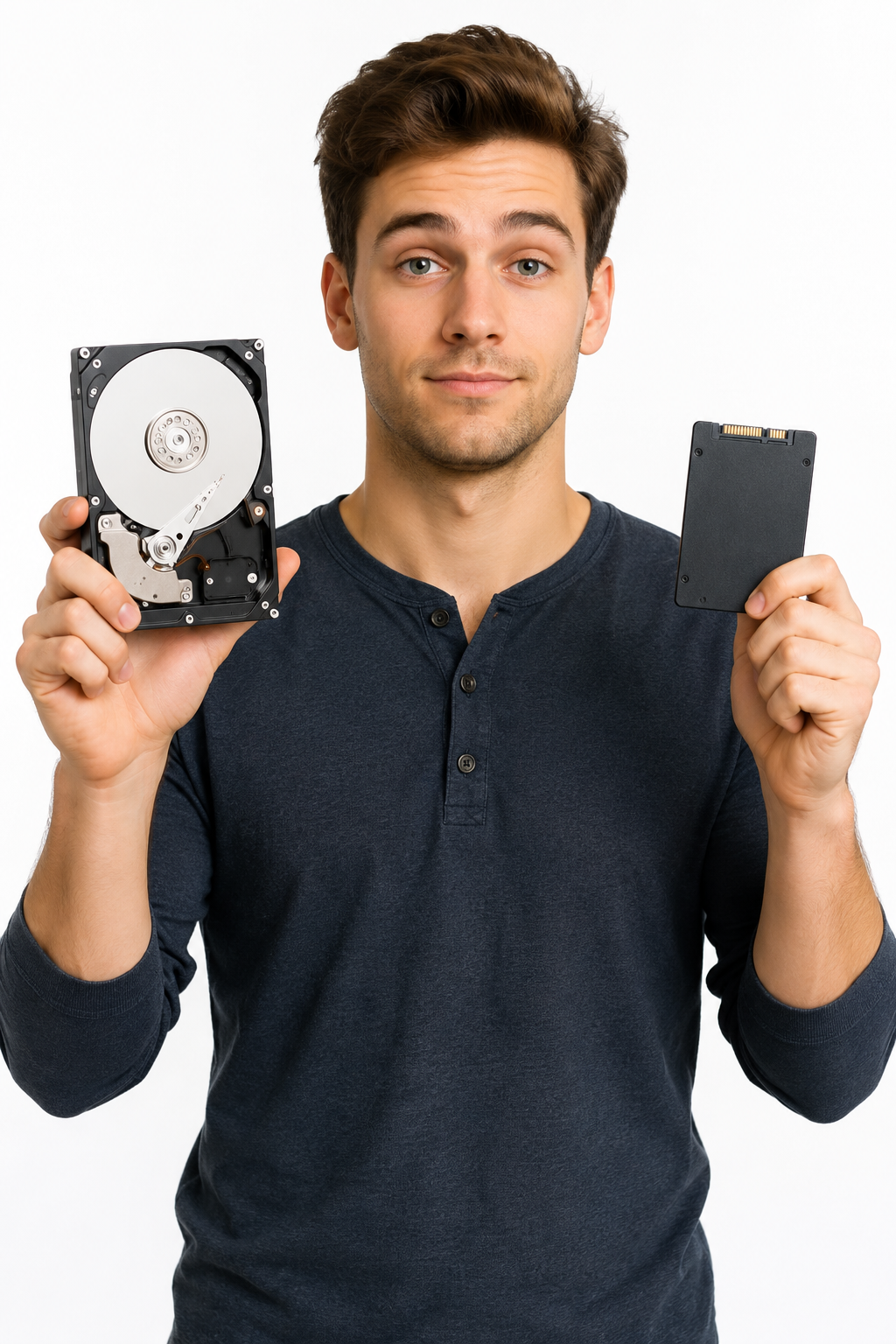
An HDD, or Hard Disk Drive, is the traditional style of storage that computers used for decades. Inside, it has spinning metal platters and a tiny mechanical arm physically moving around to locate files. It is basically a very fast record player mixed with a filing cabinet. An SSD, or Solid State Drive, stores everything electronically instead, which means data can be accessed almost instantly with no spinning parts involved.
That difference sounds technical and boring until you experience it in real life. Imagine sitting down in your home studio with an idea for a song buzzing around your head, only to spend several minutes waiting for your computer to wake up and your software to load. Inspiration is fragile enough without your computer acting like it has just been awakened from a deep medieval sleep. With an SSD, your machine feels alert, responsive and ready to work immediately.
I switched all my systems over to SSDs about five years ago and genuinely never looked back. The difference was so dramatic that going back to an HDD now feels like travelling backwards through time. Suddenly everything loaded faster, the operating system felt smoother and large audio projects became far less irritating to manage. It was one of those rare upgrades where you notice the improvement instantly rather than convincing yourself it was worth the money afterward.
People often assume the processor is always the main reason a computer feels fast. Certainly, the CPU matters, and RAM is important too, but storage speed affects almost everything you do. Booting Windows, opening plugins, loading sample libraries and saving projects all depend heavily on how quickly your drive can access data. Even basic tasks like browsing folders or launching a browser can feel noticeably quicker with an SSD.
This becomes especially important in home studios because audio production software can be demanding in surprisingly sneaky ways. Modern sample libraries can be enormous, with orchestral collections sometimes reaching hundreds of gigabytes. Every time you open a project, your computer has to retrieve all that information quickly and efficiently. If your drive struggles to keep up, you may experience long loading times, audio glitches or a general feeling that the whole system is fighting against you.
Then there is the noise factor, which home studio owners understand immediately. Traditional HDDs contain moving mechanical parts, which means they can produce subtle clicking, humming and vibration sounds while operating. In a regular office environment, nobody notices or cares. In a quiet recording room with a sensitive microphone, suddenly your hard drive sounds like a tiny robot building furniture in the background.
SSDs are completely silent because there are no moving parts at all. That silence becomes surprisingly valuable once you start recording vocals, acoustic instruments or voiceovers at home. A quieter computer also makes the entire studio environment feel calmer and more professional. There is something oddly satisfying about working on a machine that quietly does its job without sounding like it is preparing for takeoff.
Reliability is another area where SSDs perform well. Since HDDs rely on spinning mechanical components, they naturally wear down over time and are more vulnerable to physical bumps or drops. SSDs are not indestructible, but having no moving parts makes them far more resilient in day-to-day use. Most modern SSDs will comfortably last for years under normal workloads, often long enough that you replace the computer itself before the drive becomes an issue.
Of course, HDDs are not completely useless in the modern world. They are still cheaper when you need massive amounts of storage for backups, archived sessions or old video projects you cannot quite bring yourself to delete. In many studios, HDDs work well as secondary storage drives while SSDs handle the operating system and active projects. Think of it as having a fast kitchen for cooking and a large pantry for long-term storage.
For older computers, upgrading from an HDD to an SSD can feel almost magical. Many people assume they need to buy an entirely new system when the real bottleneck is simply outdated storage technology. Replacing the drive can breathe new life into a machine that otherwise still works perfectly well. Suddenly startup times shrink dramatically, applications launch quickly and the whole computer feels eager rather than exhausted.
So does storage speed really matter? Absolutely. In fact, for many people, it is one of the most noticeable upgrades you can make to a computer, especially in a creative environment like a home studio. If your current machine still relies on an old HDD for everyday tasks, switching to an SSD might be the single best upgrade you ever make - and once you experience the difference, you probably will not look back either.
An HDD, or Hard Disk Drive, is the traditional style of storage that computers used for decades. Inside, it has spinning metal platters and a tiny mechanical arm physically moving around to locate files. It is basically a very fast record player mixed with a filing cabinet. An SSD, or Solid State Drive, stores everything electronically instead, which means data can be accessed almost instantly with no spinning parts involved.
That difference sounds technical and boring until you experience it in real life. Imagine sitting down in your home studio with an idea for a song buzzing around your head, only to spend several minutes waiting for your computer to wake up and your software to load. Inspiration is fragile enough without your computer acting like it has just been awakened from a deep medieval sleep. With an SSD, your machine feels alert, responsive and ready to work immediately.
I switched all my systems over to SSDs about five years ago and genuinely never looked back. The difference was so dramatic that going back to an HDD now feels like travelling backwards through time. Suddenly everything loaded faster, the operating system felt smoother and large audio projects became far less irritating to manage. It was one of those rare upgrades where you notice the improvement instantly rather than convincing yourself it was worth the money afterward.
People often assume the processor is always the main reason a computer feels fast. Certainly, the CPU matters, and RAM is important too, but storage speed affects almost everything you do. Booting Windows, opening plugins, loading sample libraries and saving projects all depend heavily on how quickly your drive can access data. Even basic tasks like browsing folders or launching a browser can feel noticeably quicker with an SSD.
This becomes especially important in home studios because audio production software can be demanding in surprisingly sneaky ways. Modern sample libraries can be enormous, with orchestral collections sometimes reaching hundreds of gigabytes. Every time you open a project, your computer has to retrieve all that information quickly and efficiently. If your drive struggles to keep up, you may experience long loading times, audio glitches or a general feeling that the whole system is fighting against you.
Then there is the noise factor, which home studio owners understand immediately. Traditional HDDs contain moving mechanical parts, which means they can produce subtle clicking, humming and vibration sounds while operating. In a regular office environment, nobody notices or cares. In a quiet recording room with a sensitive microphone, suddenly your hard drive sounds like a tiny robot building furniture in the background.
SSDs are completely silent because there are no moving parts at all. That silence becomes surprisingly valuable once you start recording vocals, acoustic instruments or voiceovers at home. A quieter computer also makes the entire studio environment feel calmer and more professional. There is something oddly satisfying about working on a machine that quietly does its job without sounding like it is preparing for takeoff.
Reliability is another area where SSDs perform well. Since HDDs rely on spinning mechanical components, they naturally wear down over time and are more vulnerable to physical bumps or drops. SSDs are not indestructible, but having no moving parts makes them far more resilient in day-to-day use. Most modern SSDs will comfortably last for years under normal workloads, often long enough that you replace the computer itself before the drive becomes an issue.
Of course, HDDs are not completely useless in the modern world. They are still cheaper when you need massive amounts of storage for backups, archived sessions or old video projects you cannot quite bring yourself to delete. In many studios, HDDs work well as secondary storage drives while SSDs handle the operating system and active projects. Think of it as having a fast kitchen for cooking and a large pantry for long-term storage.
For older computers, upgrading from an HDD to an SSD can feel almost magical. Many people assume they need to buy an entirely new system when the real bottleneck is simply outdated storage technology. Replacing the drive can breathe new life into a machine that otherwise still works perfectly well. Suddenly startup times shrink dramatically, applications launch quickly and the whole computer feels eager rather than exhausted.
So does storage speed really matter? Absolutely. In fact, for many people, it is one of the most noticeable upgrades you can make to a computer, especially in a creative environment like a home studio. If your current machine still relies on an old HDD for everyday tasks, switching to an SSD might be the single best upgrade you ever make - and once you experience the difference, you probably will not look back either.
You may purchase items mentioned in this article here. Affiliate links earn me a commission at no extra cost to you. Thanks for supporting IanGardner.com