Open DAW
Choosing a Digital Audio Workstation can be overwhelming. This guide breaks down the pros and cons for different voice and music production software.
Ian Gardner is a British-American broadcaster, voice artist and audio enthusiast, sharing years of experience building creative workflows from a modern home studio. He helps readers make smarter buying decisions across studio gear, production tools and home comforts for both inside and outside the workspace. Broadcasters, podcasters, voice artists, producers and digital creators will find guidance that supports high production values and efficient workflows for building a successful home studio business. Similar articles can be found in the computers blog.
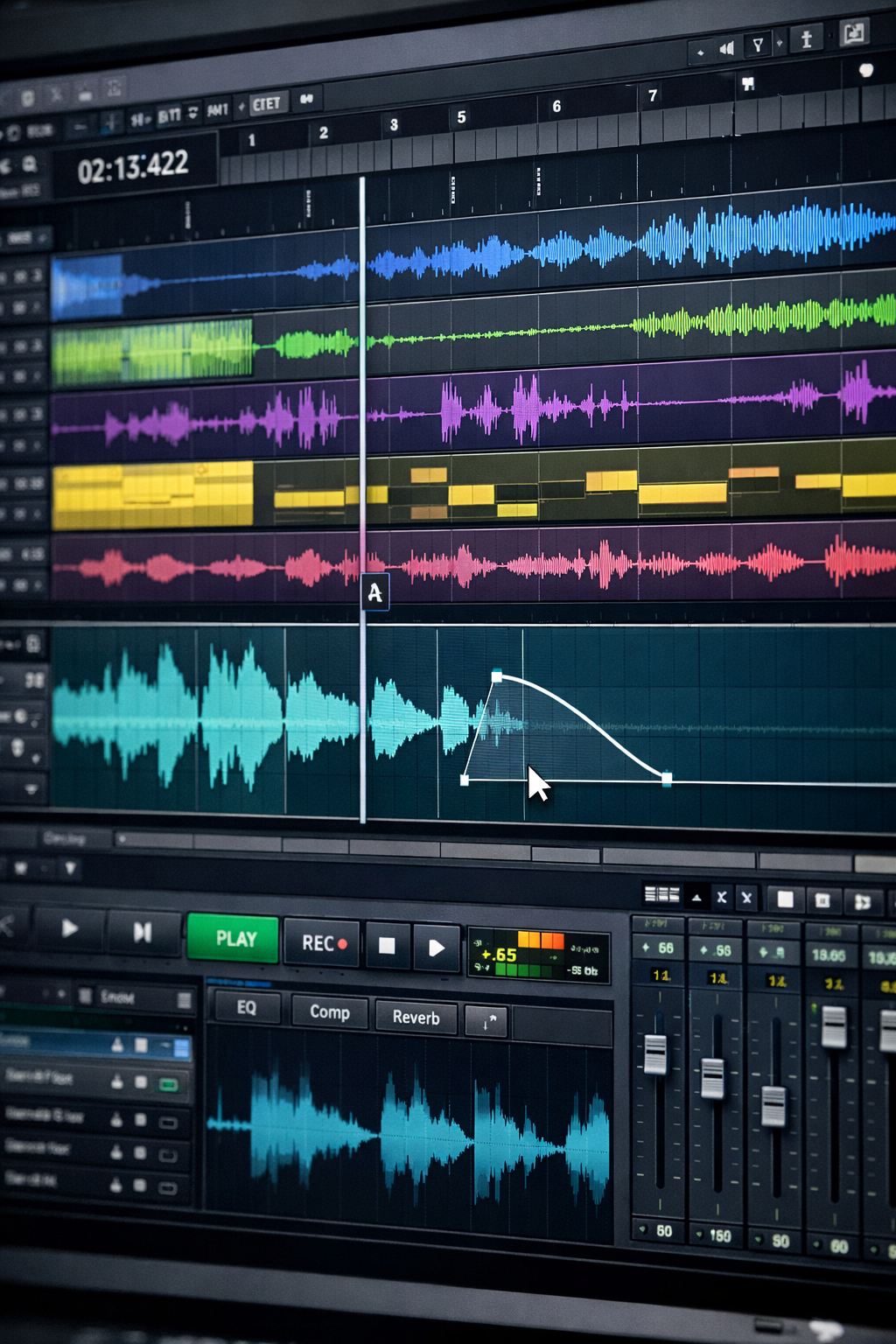
The modern home studio begins with a deceptively simple question. What DAW should I open today? DAW stands for Digital Audio Workstation, but in practice it means the creative cockpit where ideas turn into recordings, edits, mixes, and sometimes minor emotional breakdowns. The good news is that today's DAWs are powerful, affordable, and capable of professional results in a spare bedroom or basement. The bad news is that choice paralysis is real. Some DAWs are built for voiceovers, some for music, some for both, and all of them claim to be the best. So let's keep this light, practical, and slightly amused as we tour ten popular DAWs that show up again and again in home studios. Think of this as a guided open house rather than a sales pitch. Open DAW, grab a coffee, and let's look around.
Avid Pro Tools
Pro Tools is the industry standard you have heard about even if you have never touched it. It dominates commercial studios and post production houses, which makes it attractive for anyone doing voiceover work for clients who expect compatibility. Editing audio in Pro Tools is fast, precise, and deeply professional. For voiceovers, the timeline based workflow and rock solid editing tools are a joy once you learn them. For music recording, it excels at tracking bands and mixing but can feel less playful than some competitors. The downside is cost and complexity. Subscriptions, hardware expectations, and a steeper learning curve can intimidate beginners. Pro Tools rewards commitment, but it does not flirt gently.
Adobe Audition
Adobe Audition has deep roots in one of the most beloved audio editors of its era - Cool Edit. Long before Adobe branding, Cool Edit earned a loyal following among radio producers, voice artists, and engineers who valued speed, clarity, and direct control over waveforms. That DNA is still very present today. Audition feels like it was built by people who love clean waveforms and organized desks. It is especially strong for voiceover, podcasting, and broadcast-style production. The spectral editing tools are outstanding for fixing noise, clicks, hums, and room problems that inevitably sneak into home recordings. Few tools are as efficient when it comes to surgical audio repair. Audition integrates beautifully with other Adobe tools, which is a real advantage if you already live in that ecosystem. For music recording, it works well, but it lacks the creative MIDI depth and virtual instrument focus that many musicians expect from a modern DAW. The subscription model can also be a turnoff. That said, if you still have access to Adobe Audition 3.0, the last non-subscription release, it remains a fantastic piece of software even today - fast, stable, and remarkably capable for editing and restoration work.
Audacity
Audacity is the scrappy underdog that refuses to leave the party. It is free, open source, and shockingly capable for basic recording and editing. For voiceovers, Audacity can absolutely get the job done with clean recordings, simple edits, and export options that clients accept every day. It is lightweight and runs on almost anything. For music recording, especially multi track and MIDI heavy projects, it shows its limits quickly. The interface is functional rather than inspiring, and advanced workflows can feel clunky. Still, Audacity earns respect by proving that budget does not automatically mean bad audio.
GarageBand
GarageBand is the friendly neighbor who invites you in and hands you a guitar. Available free on Apple devices, it is often the first DAW people ever use. For music recording, GarageBand shines with built in instruments, loops, and an interface that encourages experimentation. It is excellent for songwriting and basic production. For voiceovers, it works surprisingly well with clean recording chains and simple editing, though it lacks some advanced noise tools. The main limitation is scalability. GarageBand eventually feels like training wheels. That said, many great ideas begin here, and that alone makes it valuable.
Logic Pro
Logic Pro is what happens when GarageBand grows up, goes to college, and comes back with better plug-ins. It offers deep MIDI tools, powerful audio editing, and an enormous library of sounds. For music recording, Logic Pro is a heavyweight champion in a home studio setting. It handles everything from singer songwriter sessions to full electronic productions. For voiceovers, it delivers excellent sound quality and precise editing, though it may feel like overkill if VO is your only focus. Logic Pro requires a Mac and a one time purchase, which many users see as a fair deal for its depth.
Reaper
Reaper is the quiet genius DAW that people recommend with a knowing smile. It is affordable, highly customizable, and incredibly efficient. For voiceovers, Reaper is a favorite thanks to its speed, low system demands and powerful scripting and automation options. You can build templates that make recording and exporting almost automatic. For music recording, Reaper handles audio and MIDI well, though it does not include many built-in instruments. The interface is utilitarian out of the box, which can turn some users away. Reaper rewards those who enjoy tailoring their tools exactly to their workflow.
Ableton Live
Ableton Live feels less like a traditional studio and more like a creative playground. It is famous for electronic music, looping, and live performance. For music recording, especially beat driven or experimental projects, Ableton is inspiring and fast. The session view encourages improvisation and happy accidents. For voiceovers, it is capable but not ideal. Editing long narration or dialogue is possible, but the workflow is not optimized for that style of work. Ableton can be expensive depending on the version, but for musicians who value creativity over convention, it is hard to beat.
FL Studio
FL Studio has a reputation rooted in beat making, and it proudly owns that identity. Its pattern based workflow and strong MIDI tools make it a favorite for producers working in hip hop, EDM, and pop. For music recording, it is fast, fun, and surprisingly deep once you move beyond loops. Audio recording has improved significantly over the years. For voiceovers, FL Studio can record clean audio, but editing spoken word is not its strongest suit. The interface can feel busy, and the workflow may confuse newcomers. Lifetime free updates are a major plus.
Studio One
Studio One aims to combine modern design with professional depth, and largely succeeds. The interface is clean, drag and drop workflows are intuitive, and it handles both audio and MIDI with confidence. For voiceovers, Studio One offers solid editing, good performance, and a straightforward learning curve. For music recording, it scales well from simple demos to complex productions. Some advanced features are locked behind higher priced versions, which can frustrate users. Still, Studio One is often praised for feeling fresh without being gimmicky, a balance that many home studio users appreciate.
Cubase
Cubase is a veteran DAW with deep roots in MIDI and composition. It remains a powerhouse for music recording, especially for composers, arrangers, and anyone working with virtual instruments. The MIDI tools are among the best available. For voiceovers, Cubase is capable and precise, though its strengths may be more than you need for spoken word projects. The interface is dense, and the learning curve can be steep. Cubase rewards patience and study. If you enjoy detailed control and structured workflows, it can become a long term creative partner.
In the end, the best DAW is the one you actually open. Every option here can produce professional results in a home studio with the right mic, room, and technique. Voiceover artists often prioritize speed and clarity, while musicians chase inspiration and flexibility. Some DAWs try to do everything, others specialize. None of them will magically fix bad performances, but the right one can remove friction from the process. So open DAW, hit record, and remember that great audio usually comes from consistency, not from endlessly shopping for software.
Avid Pro Tools
Pro Tools is the industry standard you have heard about even if you have never touched it. It dominates commercial studios and post production houses, which makes it attractive for anyone doing voiceover work for clients who expect compatibility. Editing audio in Pro Tools is fast, precise, and deeply professional. For voiceovers, the timeline based workflow and rock solid editing tools are a joy once you learn them. For music recording, it excels at tracking bands and mixing but can feel less playful than some competitors. The downside is cost and complexity. Subscriptions, hardware expectations, and a steeper learning curve can intimidate beginners. Pro Tools rewards commitment, but it does not flirt gently.
Adobe Audition
Adobe Audition has deep roots in one of the most beloved audio editors of its era - Cool Edit. Long before Adobe branding, Cool Edit earned a loyal following among radio producers, voice artists, and engineers who valued speed, clarity, and direct control over waveforms. That DNA is still very present today. Audition feels like it was built by people who love clean waveforms and organized desks. It is especially strong for voiceover, podcasting, and broadcast-style production. The spectral editing tools are outstanding for fixing noise, clicks, hums, and room problems that inevitably sneak into home recordings. Few tools are as efficient when it comes to surgical audio repair. Audition integrates beautifully with other Adobe tools, which is a real advantage if you already live in that ecosystem. For music recording, it works well, but it lacks the creative MIDI depth and virtual instrument focus that many musicians expect from a modern DAW. The subscription model can also be a turnoff. That said, if you still have access to Adobe Audition 3.0, the last non-subscription release, it remains a fantastic piece of software even today - fast, stable, and remarkably capable for editing and restoration work.
Audacity
Audacity is the scrappy underdog that refuses to leave the party. It is free, open source, and shockingly capable for basic recording and editing. For voiceovers, Audacity can absolutely get the job done with clean recordings, simple edits, and export options that clients accept every day. It is lightweight and runs on almost anything. For music recording, especially multi track and MIDI heavy projects, it shows its limits quickly. The interface is functional rather than inspiring, and advanced workflows can feel clunky. Still, Audacity earns respect by proving that budget does not automatically mean bad audio.
GarageBand
GarageBand is the friendly neighbor who invites you in and hands you a guitar. Available free on Apple devices, it is often the first DAW people ever use. For music recording, GarageBand shines with built in instruments, loops, and an interface that encourages experimentation. It is excellent for songwriting and basic production. For voiceovers, it works surprisingly well with clean recording chains and simple editing, though it lacks some advanced noise tools. The main limitation is scalability. GarageBand eventually feels like training wheels. That said, many great ideas begin here, and that alone makes it valuable.
Logic Pro
Logic Pro is what happens when GarageBand grows up, goes to college, and comes back with better plug-ins. It offers deep MIDI tools, powerful audio editing, and an enormous library of sounds. For music recording, Logic Pro is a heavyweight champion in a home studio setting. It handles everything from singer songwriter sessions to full electronic productions. For voiceovers, it delivers excellent sound quality and precise editing, though it may feel like overkill if VO is your only focus. Logic Pro requires a Mac and a one time purchase, which many users see as a fair deal for its depth.
Reaper
Reaper is the quiet genius DAW that people recommend with a knowing smile. It is affordable, highly customizable, and incredibly efficient. For voiceovers, Reaper is a favorite thanks to its speed, low system demands and powerful scripting and automation options. You can build templates that make recording and exporting almost automatic. For music recording, Reaper handles audio and MIDI well, though it does not include many built-in instruments. The interface is utilitarian out of the box, which can turn some users away. Reaper rewards those who enjoy tailoring their tools exactly to their workflow.
Ableton Live
Ableton Live feels less like a traditional studio and more like a creative playground. It is famous for electronic music, looping, and live performance. For music recording, especially beat driven or experimental projects, Ableton is inspiring and fast. The session view encourages improvisation and happy accidents. For voiceovers, it is capable but not ideal. Editing long narration or dialogue is possible, but the workflow is not optimized for that style of work. Ableton can be expensive depending on the version, but for musicians who value creativity over convention, it is hard to beat.
FL Studio
FL Studio has a reputation rooted in beat making, and it proudly owns that identity. Its pattern based workflow and strong MIDI tools make it a favorite for producers working in hip hop, EDM, and pop. For music recording, it is fast, fun, and surprisingly deep once you move beyond loops. Audio recording has improved significantly over the years. For voiceovers, FL Studio can record clean audio, but editing spoken word is not its strongest suit. The interface can feel busy, and the workflow may confuse newcomers. Lifetime free updates are a major plus.
Studio One
Studio One aims to combine modern design with professional depth, and largely succeeds. The interface is clean, drag and drop workflows are intuitive, and it handles both audio and MIDI with confidence. For voiceovers, Studio One offers solid editing, good performance, and a straightforward learning curve. For music recording, it scales well from simple demos to complex productions. Some advanced features are locked behind higher priced versions, which can frustrate users. Still, Studio One is often praised for feeling fresh without being gimmicky, a balance that many home studio users appreciate.
Cubase
Cubase is a veteran DAW with deep roots in MIDI and composition. It remains a powerhouse for music recording, especially for composers, arrangers, and anyone working with virtual instruments. The MIDI tools are among the best available. For voiceovers, Cubase is capable and precise, though its strengths may be more than you need for spoken word projects. The interface is dense, and the learning curve can be steep. Cubase rewards patience and study. If you enjoy detailed control and structured workflows, it can become a long term creative partner.
In the end, the best DAW is the one you actually open. Every option here can produce professional results in a home studio with the right mic, room, and technique. Voiceover artists often prioritize speed and clarity, while musicians chase inspiration and flexibility. Some DAWs try to do everything, others specialize. None of them will magically fix bad performances, but the right one can remove friction from the process. So open DAW, hit record, and remember that great audio usually comes from consistency, not from endlessly shopping for software.
You may purchase items mentioned in this article here. Affiliate links earn me a commission at no extra cost to you. Thanks for supporting IanGardner.com