How Computers Work
Confused by CPU, RAM, GPU and clock speed? This beginner friendly guide explains how a modern laptop works and what those specs really mean before you buy.
Ian Gardner is a British-American broadcaster, voice artist and audio enthusiast, sharing years of experience building creative workflows from a modern home studio. He helps readers make smarter buying decisions across studio gear, production tools and home comforts for both inside and outside the workspace. Broadcasters, podcasters, voice artists, producers and digital creators will find guidance that supports high production values and efficient workflows for building a successful home studio business. Similar articles can be found in the computers blog.
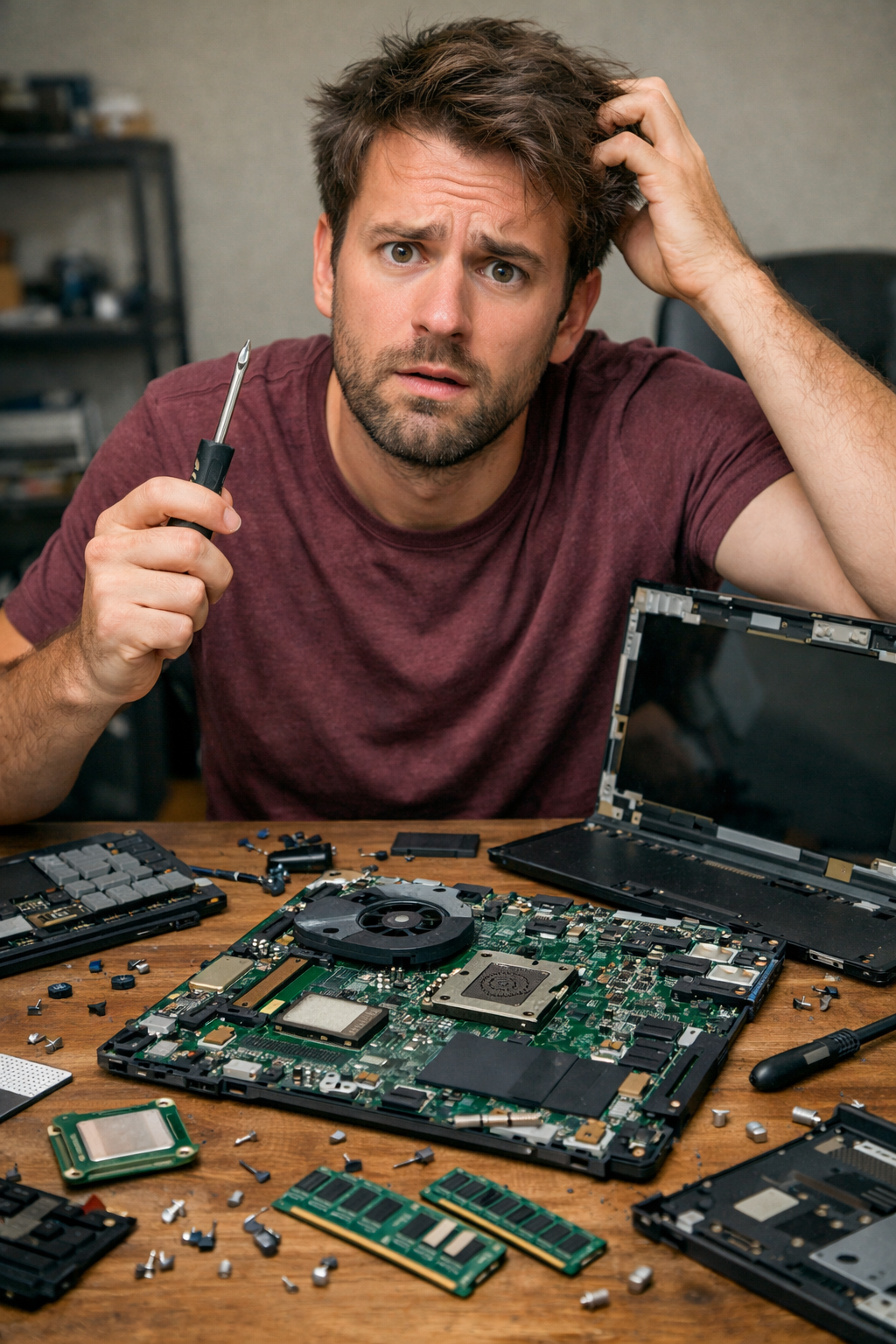
If you've ever opened a laptop, stared at the spec sheet, and thought 'I recognize these words but I have no idea what they actually do,' you're not alone. Modern computers are astonishingly powerful, yet the language around them can feel like it was designed to intimidate normal humans. So let's demystify the machine. Not with electrical engineering diagrams or quantum physics, but with a practical, creator friendly guide to what is actually happening inside that sleek slab of aluminum when you open the lid.
At its core, a laptop is a collection of specialized components working together at ridiculous speed. Think of it less like a single brain and more like a small production studio where each team member has a job. When you understand the roles, buying a laptop becomes far less stressful.
Let's start with the star of the show - the CPU, or Central Processing Unit. The CPU is often called the brain of the computer, and that metaphor holds up surprisingly well. It handles instructions, calculations, logic, and general decision making. When you click a mouse, render a video, export a track, or open a browser tab, the CPU is coordinating those tasks. CPUs are measured in cores and clock speed. Cores are like separate workers inside the processor. More cores mean more tasks can be handled simultaneously. Clock speed, measured in GHz, tells you how many cycles per second the CPU can execute. Higher clock speed usually means faster performance, but efficiency and architecture matter too. For creators doing video editing, music production, or graphic design, a multi core CPU with strong clock speed is a solid investment.
Next up is the GPU - the Graphics Processing Unit. If the CPU is the general manager, the GPU is the visual effects department. Originally designed to render graphics for games, modern GPUs are essential for video editing, 3D modeling, color grading, and increasingly AI powered tools. A dedicated GPU has its own processing power and often its own memory. Integrated graphics share resources with the CPU. If your work involves heavy visuals, animation, or gaming, a dedicated GPU will make a dramatic difference in performance and export times.
Now let's talk about RAM - Random Access Memory. RAM is short term working memory. It's where your computer keeps data that it needs right now. When you open multiple browser tabs, load a large Photoshop file, or run a digital audio workstation with dozens of tracks, RAM is holding all that active information. More RAM means your system can juggle more tasks without slowing down. If RAM fills up, your laptop starts using storage as temporary memory, which is much slower. For light office work, 8GB might survive. For creators, 16GB is a practical baseline. For heavy video editing or large sample libraries, 32GB or more is not overkill.
ROM, or Read Only Memory, plays a quieter but essential role. ROM stores the firmware that helps the computer start up. When you press the power button, ROM contains the instructions that tell the system how to initialize hardware and load the operating system. You rarely think about it, but without it, your laptop would not know how to wake up.
Storage is where your long term data lives. This is your SSD or solid state drive in most modern laptops. Unlike older hard drives, SSDs have no moving parts, which makes them faster and more reliable. Storage capacity determines how many files, applications, and projects you can keep locally. Speed determines how quickly those files open and save. For creators working with large video files or sample libraries, fast SSD storage significantly reduces waiting time.
Clock speed deserves a closer look because it's often misunderstood. Measured in gigahertz, clock speed refers to how many cycles per second a processor can perform. Think of it as the rhythm of the CPU. A faster clock means more instructions processed per second. But raw GHz numbers do not tell the whole story. Modern processors use smart boosting technology to increase speed when needed and reduce it to save battery. So efficiency, generation, and thermal design are just as important as the headline number.
The operating system is the invisible conductor. Whether it's Windows, macOS, or Linux, the operating system manages hardware resources and provides the interface you interact with. It decides how memory is allocated, how tasks are scheduled, and how devices communicate. The OS is why you can drag files, install software, and connect external drives without manually writing commands. When choosing a laptop, the operating system matters because it determines software compatibility, workflow familiarity, and ecosystem integration.
Then we have inputs and outputs. Inputs are how you communicate with the machine - keyboard, trackpad, mouse, microphone, camera. Outputs are how it communicates back - screen, speakers, headphones, external monitors. Ports are the physical gateways for these signals. USB, Thunderbolt, HDMI, audio jacks - they determine what you can connect. For creators, port selection can be as important as processor speed. If you regularly connect audio interfaces, external drives, cameras, or monitors, you need the right outputs available or a reliable docking solution.
Battery and thermals are often overlooked but crucial. Powerful components generate heat. Heat reduces performance if not managed properly. Cooling systems, fans, and thermal design determine whether your laptop sustains performance or throttles under pressure. If you render video on the go, thermal design matters. Battery capacity determines how long you can work unplugged. High performance components drain power faster, so balance is key.
Finally, everything inside a laptop communicates through the motherboard. The motherboard is the main circuit board connecting CPU, RAM, storage, GPU, and ports. It is the infrastructure that allows data to move at incredible speed between components. You rarely compare motherboards when buying laptops because they are not modular in the same way as desktop systems, but they are the foundation of the machine's architecture.
When you strip away the marketing language, a modern laptop is a coordinated system. The CPU thinks, the GPU draws, RAM remembers temporarily, storage remembers long term, ROM helps it start, the operating system manages everything, and inputs and outputs connect you to the digital world. Understanding these building blocks helps you translate spec sheets into real world performance. Instead of buying the most expensive option or the one with the flashiest design, you can choose the machine that matches your creative workload.
And that is the real power of understanding how computers work. Not to impress anyone with technical trivia, but to make confident decisions. Once you know who is doing what inside the box, the mystery fades. Your laptop stops being a magical black slab and starts becoming what it really is - a very fast, very organized team working for you
At its core, a laptop is a collection of specialized components working together at ridiculous speed. Think of it less like a single brain and more like a small production studio where each team member has a job. When you understand the roles, buying a laptop becomes far less stressful.
Let's start with the star of the show - the CPU, or Central Processing Unit. The CPU is often called the brain of the computer, and that metaphor holds up surprisingly well. It handles instructions, calculations, logic, and general decision making. When you click a mouse, render a video, export a track, or open a browser tab, the CPU is coordinating those tasks. CPUs are measured in cores and clock speed. Cores are like separate workers inside the processor. More cores mean more tasks can be handled simultaneously. Clock speed, measured in GHz, tells you how many cycles per second the CPU can execute. Higher clock speed usually means faster performance, but efficiency and architecture matter too. For creators doing video editing, music production, or graphic design, a multi core CPU with strong clock speed is a solid investment.
Next up is the GPU - the Graphics Processing Unit. If the CPU is the general manager, the GPU is the visual effects department. Originally designed to render graphics for games, modern GPUs are essential for video editing, 3D modeling, color grading, and increasingly AI powered tools. A dedicated GPU has its own processing power and often its own memory. Integrated graphics share resources with the CPU. If your work involves heavy visuals, animation, or gaming, a dedicated GPU will make a dramatic difference in performance and export times.
Now let's talk about RAM - Random Access Memory. RAM is short term working memory. It's where your computer keeps data that it needs right now. When you open multiple browser tabs, load a large Photoshop file, or run a digital audio workstation with dozens of tracks, RAM is holding all that active information. More RAM means your system can juggle more tasks without slowing down. If RAM fills up, your laptop starts using storage as temporary memory, which is much slower. For light office work, 8GB might survive. For creators, 16GB is a practical baseline. For heavy video editing or large sample libraries, 32GB or more is not overkill.
ROM, or Read Only Memory, plays a quieter but essential role. ROM stores the firmware that helps the computer start up. When you press the power button, ROM contains the instructions that tell the system how to initialize hardware and load the operating system. You rarely think about it, but without it, your laptop would not know how to wake up.
Storage is where your long term data lives. This is your SSD or solid state drive in most modern laptops. Unlike older hard drives, SSDs have no moving parts, which makes them faster and more reliable. Storage capacity determines how many files, applications, and projects you can keep locally. Speed determines how quickly those files open and save. For creators working with large video files or sample libraries, fast SSD storage significantly reduces waiting time.
Clock speed deserves a closer look because it's often misunderstood. Measured in gigahertz, clock speed refers to how many cycles per second a processor can perform. Think of it as the rhythm of the CPU. A faster clock means more instructions processed per second. But raw GHz numbers do not tell the whole story. Modern processors use smart boosting technology to increase speed when needed and reduce it to save battery. So efficiency, generation, and thermal design are just as important as the headline number.
The operating system is the invisible conductor. Whether it's Windows, macOS, or Linux, the operating system manages hardware resources and provides the interface you interact with. It decides how memory is allocated, how tasks are scheduled, and how devices communicate. The OS is why you can drag files, install software, and connect external drives without manually writing commands. When choosing a laptop, the operating system matters because it determines software compatibility, workflow familiarity, and ecosystem integration.
Then we have inputs and outputs. Inputs are how you communicate with the machine - keyboard, trackpad, mouse, microphone, camera. Outputs are how it communicates back - screen, speakers, headphones, external monitors. Ports are the physical gateways for these signals. USB, Thunderbolt, HDMI, audio jacks - they determine what you can connect. For creators, port selection can be as important as processor speed. If you regularly connect audio interfaces, external drives, cameras, or monitors, you need the right outputs available or a reliable docking solution.
Battery and thermals are often overlooked but crucial. Powerful components generate heat. Heat reduces performance if not managed properly. Cooling systems, fans, and thermal design determine whether your laptop sustains performance or throttles under pressure. If you render video on the go, thermal design matters. Battery capacity determines how long you can work unplugged. High performance components drain power faster, so balance is key.
Finally, everything inside a laptop communicates through the motherboard. The motherboard is the main circuit board connecting CPU, RAM, storage, GPU, and ports. It is the infrastructure that allows data to move at incredible speed between components. You rarely compare motherboards when buying laptops because they are not modular in the same way as desktop systems, but they are the foundation of the machine's architecture.
When you strip away the marketing language, a modern laptop is a coordinated system. The CPU thinks, the GPU draws, RAM remembers temporarily, storage remembers long term, ROM helps it start, the operating system manages everything, and inputs and outputs connect you to the digital world. Understanding these building blocks helps you translate spec sheets into real world performance. Instead of buying the most expensive option or the one with the flashiest design, you can choose the machine that matches your creative workload.
And that is the real power of understanding how computers work. Not to impress anyone with technical trivia, but to make confident decisions. Once you know who is doing what inside the box, the mystery fades. Your laptop stops being a magical black slab and starts becoming what it really is - a very fast, very organized team working for you
You may purchase items mentioned in this article here. Affiliate links earn me a commission at no extra cost to you. Thanks for supporting IanGardner.com